September answered a question we hear every week: how much of this money is actually mine? The Dashboard opened to everyone with that sum already worked out. Finances now show what’s still to be received and paid, reports come out of the AI chat in one click, FIZ started talking to Claude and ChatGPT, and receipt printing reached your phone, as we promised in August.
Dashboard: what’s yours after taxes
Money lands in your account and it all looks like yours. But some of it is already spoken for: this quarter’s VAT, next summer’s IRS, your contributions. The Dashboard does that sum for you. At the top is what’s free after taxes: what you’ve received this year minus what you should keep aside.
Below it, Set aside for taxes breaks the reserve down. VAT already assessed in filed returns is kept separate from VAT still building up, and Social Security comes from your latest return. The IRS estimate uses the coefficient of the activity each invoice was issued under, takes off withholding tax, and warns you if your documented expenses fall short of the required 15%.
If you’re exempt under Article 53, the Dashboard tracks both limits that matter. Going over €15,000 of turnover in the year ends the exemption from January. Going over €18,750 (125% of the limit) ends it immediately, and you have 15 working days to file the change-of-activity return. If your income comes in regularly, the Dashboard estimates roughly when you’ll reach each one. If it’s irregular, it shows the headroom you have left and doesn’t invent dates.
Last quarter’s VAT that’s still to be paid and the road tax (IUC) on your vehicles are part of the sum too. Companies get their own mode, without an IRS estimate. Alongside sit your upcoming deadlines, the invoices waiting to be paid and your to-do list.
Finances: expenses, payments and what’s still outstanding
Your e-Fatura expenses have left their own screen and now live in Finances → Invoices & receipts, alongside everything else, with a single category catalogue. Each supplier remembers the category you use most with them, and when you sort a document FIZ offers to apply the same answer to that supplier’s other documents. If you’re self-employed under the normal VAT scheme, you also see deductible VAT line by line and the VAT to pay for the period.
The most useful new part is in payments. Each document now shows how much has been paid and how much is left, to the cent. An invoice paid in two transfers links to both, and a payment covering several invoices is split across them. When FIZ spots a bank transaction that looks like it pays an invoice, the suggestion appears on the document itself, with Confirm and Not a match.
Need to send your accountant everything you have with one client or supplier? That counterparty’s card now has an export button: the report alone as an Excel file, or the report plus the files stored in FIZ as a ZIP.
Expense categorisation is part of the paid plans. Payment matching and exports are part of full Finances, on the Prime and MAX plans.
Social Security: income counts on the invoice date
On the quarterly return, Social Security counts income on the invoice date, as IRS does, not on the day your client pays. Its own FAQ for self-employed workers says so (question 18). FIZ used to follow the payment; from the third quarter of 2026 it follows the rule.
In practice, an invoice issued in September counts in Q3 even if you’re only paid in October. The return lists it separately under “Invoices counted before payment”, so it doesn’t catch you off guard. Older invoices, issued before the switch, still count when they’re paid. That way nothing slips through the gap between the two rules.
Credit notes now come off in the month of the income they cancel. If that income was declared in an earlier quarter, FIZ no longer deducts the note from the current one: it tells you which quarter to correct and which route is still open, whether a replacement return, a late filing or the annual return in January.
Ready-made reports in the AI chat
In September a customer wrote to complain that they could only see a whole year’s invoicing, not last month’s. They weren’t the only one: people ask us for sales reports for their accountant, lists of unpaid invoices, proof of income for the bank. Now, on the invoices page, the Create report in AI chat button opens a menu with the most requested reports. You pick the period, click the report, and the AI Tax Assistant delivers it in the chat.
There’s a sales report by customer, with and without VAT, a monthly summary, a VAT summary by month and rate, sales by item, unpaid invoices and a customer account statement, all as PDFs. There’s the invoice list in Excel, and August’s proof of income now has a shortcut here. You can also download the original PDFs of the period’s invoices in one archive, up to 100 files.
Because each report starts as a conversation, changing it is just a matter of asking: another period, one customer only, more detail. Reports count towards your AI Tax Assistant allowance, which is part of the paid plans.
Connect FIZ to Claude or ChatGPT, no keys or code
In June we published a skill that linked Claude or ChatGPT to the FIZ API, for anyone happy to handle an API key. In September came the route for everyone else: an official connector. You copy an address from Settings → Integrations → Connected apps, paste it into Claude (web, desktop or mobile), ChatGPT or Claude Code, and sign in with your FIZ account.
Then you just ask in plain words. For example, “is my company in FIZ ready to issue invoices?”. Claude asks your permission to look into FIZ and answers with what is missing, check by check.
You decide what the assistant can do. When you connect, you choose the company and the permissions: look up invoices and clients, create drafts, read bank transactions and expenses. Issuing fiscal documents is a separate permission, and even with it the assistant asks you to confirm each document. Connected apps are listed in FIZ with when they were last used, and you can disconnect any of them in one click. It works on the paid plans.
For developers, the public API gained pro formas, recurring invoices and an issue date you set yourself, and you can now register your own app for production, reviewed by FIZ.
Receipts: from the browser to your phone
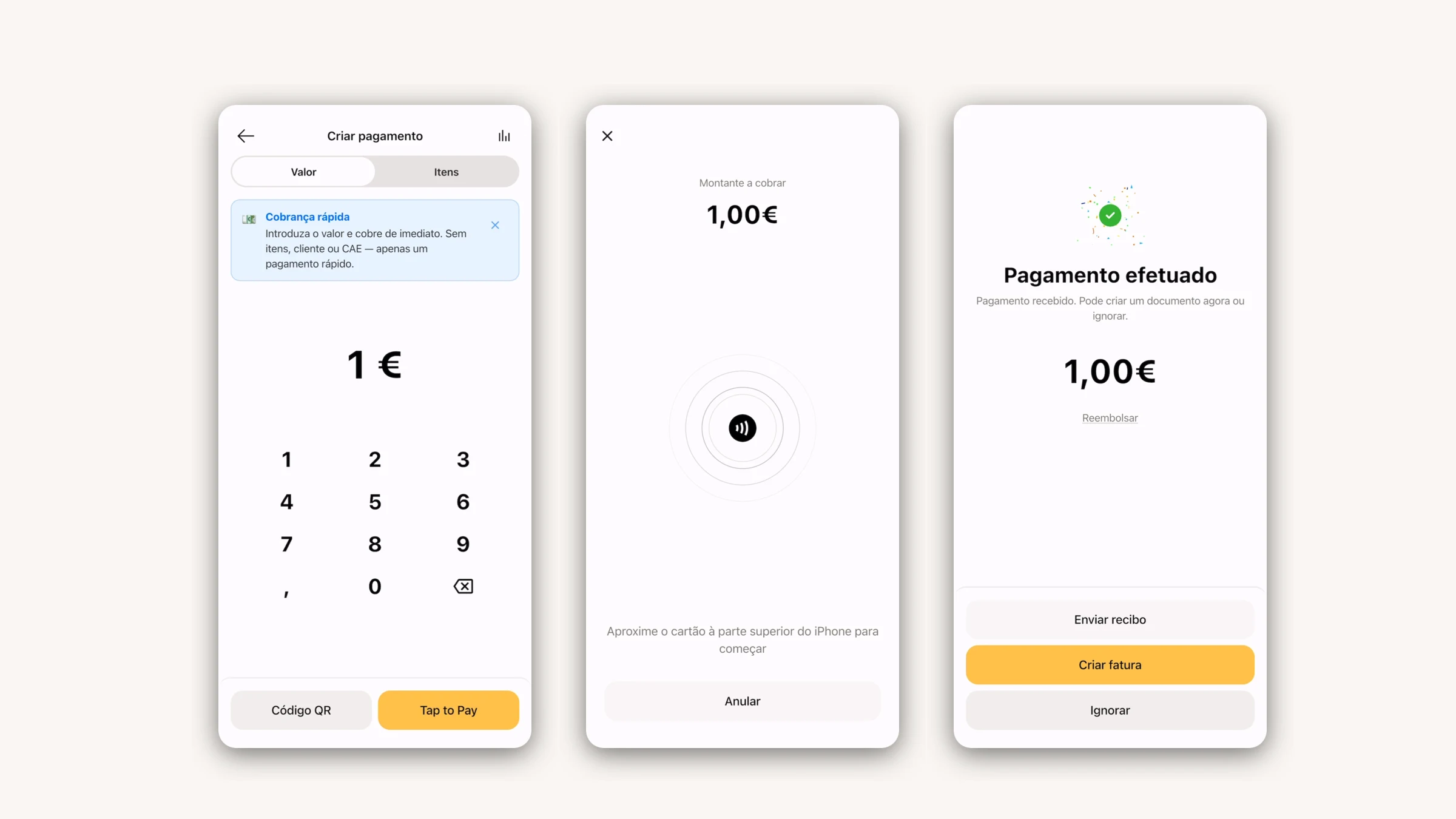
In August receipt printing worked from the browser, and we said the iPhone was next. It’s here: in the app, under Settings → Receipt printer, you connect a Bluetooth printer (on iPhone and Android) or a network one, pick the paper width and run a test print. From then on, every document shows “Print receipt on POS printer”. SUNMI terminals with a built-in printer work too.
There’s also a new kind of receipt: the non-fiscal template. It’s a copy of an invoice you’ve already issued, without prices or VAT, like a gift or exchange receipt. You design it in the editor on an 80 mm or 58 mm roll and print it from the document page. It never replaces the invoice and is never sent by email.
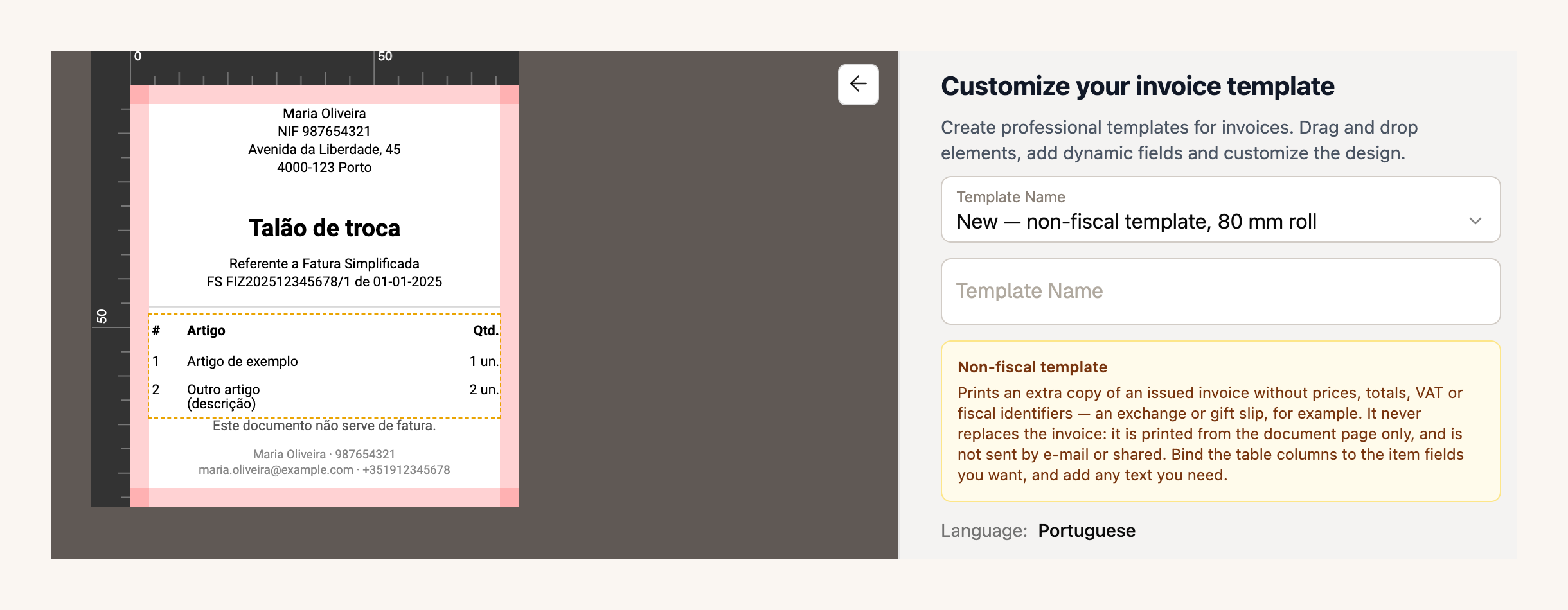
If you take payments through ifthenpay, the settings now also accept an MB WAY key and a Payshop key, next to Multibanco. Document templates and ifthenpay are part of the paid plans.
Create a non-fiscal template →
For accountants: every client on one screen
If you’re a certified accountant (contabilista certificado), FIZ now has an account built for you. You sign up as an accountant, confirm your cédula, which we check by hand against the Ordem’s register, and your portfolio opens: all your clients on one screen, with each one’s deadlines and alerts.
Access is the client’s call. They can give you view-only access or let you manage, which covers issuing documents and preparing and filing returns. Anything that belongs to the account rather than the books, such as the subscription, the team or the bank connection, always stays out of your reach. And the practice’s plan is free: Prime, or MAX if the practice is a company.
If your accountant doesn’t use FIZ yet, send them this page.
In the app: a new home screen, and the same calendar as the web
Version 4.16 changed how you open the app. All five tabs are always in view: Home, Invoicing, Finances, AI tax bot and More. The home screen was rebuilt, with your key numbers in tiles, notices gathered in one place and the question box for the assistant right at the top. The tax calendar now matches the web one, company obligations included, and the FIZ support chat arrived on mobile.
Version 4.17 brought a redesigned calendar and printing of the non-fiscal template from each document’s menu.
Your account, support and other improvements
The account owner can now delete the account themselves from the Danger zone, without having to write to us.
Since 18 September, all support goes through the FIZ chat. You pick a topic as you start, see your conversation history, and close the conversation yourself once the issue is sorted.
If you take payments through Stripe, there’s another source of automatic invoicing, on the paid plans. On top of Checkout payments, paid one-off Stripe invoices now reach FIZ as a draft Fatura-Recibo for you to review before issuing. It’s on when you switch automatic invoicing on from now; if you already had it on, ask us in the chat to enable this source.
Also new: recurring invoices can go out on the last day of the month, you can view the PDF exactly as it was sent to your client, and your trial only starts counting with your first invoice or return.
If there’s something you’d like to see in FIZ, or you’ve run into a problem, message us through the in-app chat. We read everything.
Thank you for using FIZ.