August was spent almost entirely inside Finances. Connecting a bank no longer throws you into a third-party screen, statement imports now work on every plan, and the tax calendar learnt the obligations companies face. Along the way, Stripe payments gained automatic invoicing and invoices learnt to come out as till receipts, straight to a Bluetooth printer.
Connect your bank in FIZ and see what still needs your attention
Until now, linking a bank account meant a widget from the Open Banking provider, with their look and their vocabulary. In August we brought that step inside FIZ: you pick your bank from our list, with search, read the consent explained in plain language, and only then go to the bank to authorise.
Once connected, the difference shows every day. Each account card shows the booked balance separately from pending movements, with its own indicator while a sync is running. In the transactions workspace, transfers between your own accounts are recognised for what they are, instead of showing up as an expense on one side and income on the other. And every transaction tells you what it still needs from you: attach a document, confirm a category, or nothing at all.
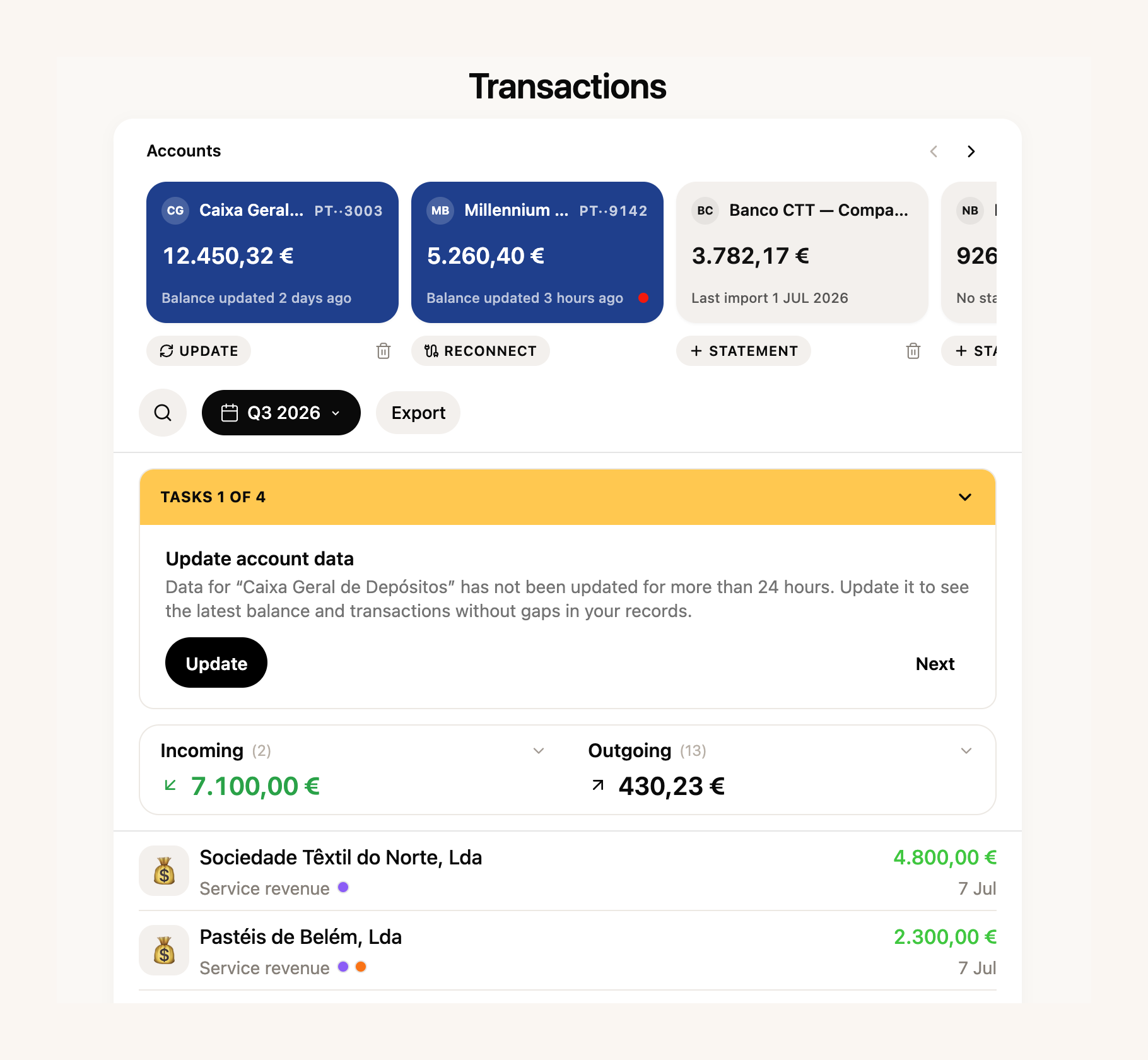
Categorisation rules grew up too, with search and protection against accidental deletes. And counterparties now carry an open balances register: who owes you and whom you owe, worked out from documents and payments. And the invoices and receipts workspace inside Finances was redesigned to match the rest.
Two things also opened up: statement import now works on every plan, and the receipt scanning we showed earlier is available on all accounts. Full Finances remain part of the paid plans, but the section is visible to everyone — step in and have a look.
No surprises: a company calendar, and no more code-copying at Social Security
The tax calendar covered self-employed life well. In August it learnt the obligations of companies: the DMR filings to Social Security and to the tax office, withheld IRS, the TSU, IRC payments on account, the IES, Modelo 10 and the inventory communication, each with its own deadline.
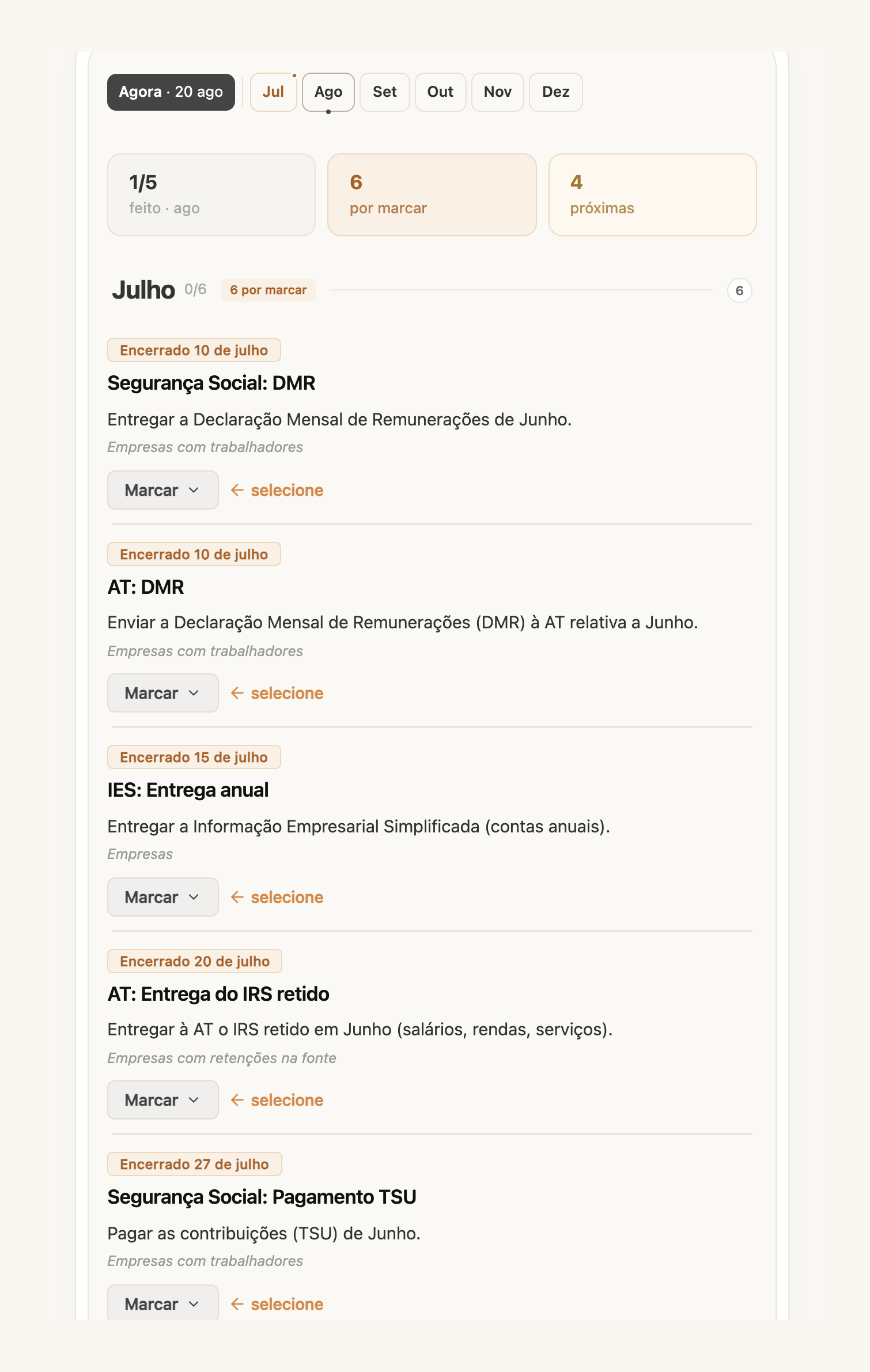
We also changed what you see first. Instead of an endless list, the calendar opens on a useful window: the previous month, the current one and the next two weeks. Anything you have not yet marked as handled shows in a calm ochre, not an alarm red. And the second-quarter VAT deadline moved to September, in line with Portugal’s summer tax holiday — no false scares in August.
At Social Security, we went after the codes. Anyone filing the quarterly declaration through FIZ knew the ritual: request the code, wait, copy it over. Now you set up a dedicated sub-account once and FIZ receives the code by email and signs in for you. If the automatic reading fails, you can still type the code yourself.
One correction that matters if you invoice expenses on your clients’ behalf: amounts under code M01 (article 16.º, n.º 6) no longer count as income: not towards the article 53.º limit, and not towards Social Security contributions. Every excluded amount is listed with the invoices it came from, so you can check the code is there for the right reasons.
From a Stripe payment to a sent invoice, automatically
In July, FIZ prepared a draft Fatura-Recibo for each Stripe payment. In August we took the next step: you can choose to have the document issued and emailed to the customer the moment an eligible payment arrives, without you passing through here at all.
Before switching it on, read the warning carefully — it is there because it is true: automatically issued documents are fiscally binding and cannot be deleted, and the VAT settings you chose are applied without review. It works well for digital goods and services paid on the spot, and it needs your AT connection verified.
Invoicing in general got more flexible too. When the work happened on one day and the invoice goes out on another, you can state the date of supply, which appears on the PDF and goes to the tax office. A line with a 100% discount is no longer rejected, so you can offer an item on an invoice without workarounds (item discounts are part of the paid plans). And receipts now follow the series of the document that created them.
From the invoice to a Bluetooth till receipt
In mid-August someone asked us in the chat whether FIZ could print invoices as till receipts on a Bluetooth thermal printer. By the end of the month it could: pair the printer in your invoicing settings and any simplified invoice prints in one click, straight from the browser.
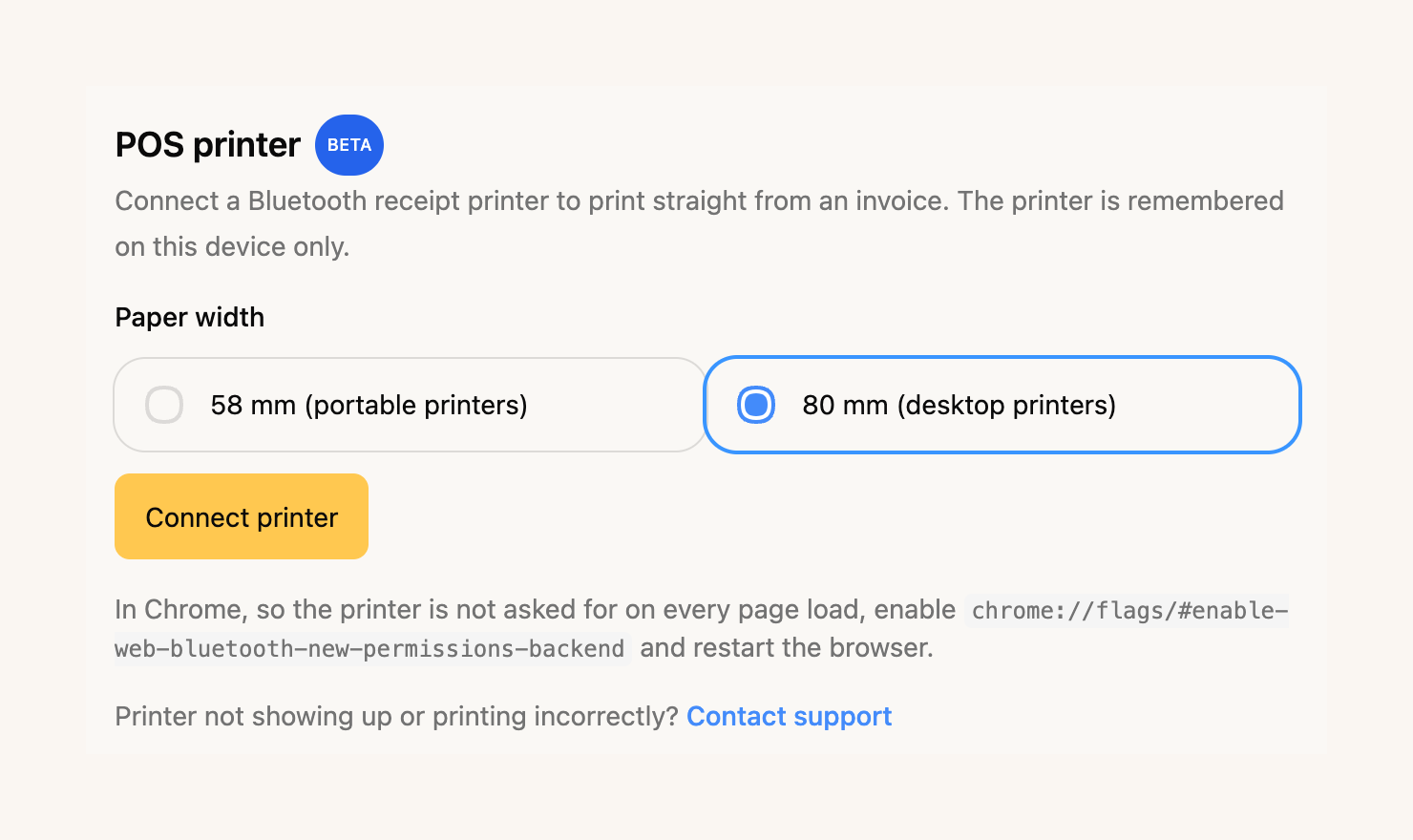
It supports 58 and 80 mm paper — we tested on a Goojprt PT-210 and a NETUM NT-H861. It is in beta: it works in Chrome and Edge (Web Bluetooth is required), and the printer is remembered on the device where you paired it. Printing from an iPhone is on its way; more on that soon.
A proof of income ready for the bank
Three people asked us for this in the same week: a document with their income, to open an account, apply for credit or show a landlord. The Tax Assistant now prepares it properly first time: income month by month, the monthly average, a breakdown by client and payment status, in a tidy PDF. The confirmation that documents are synchronised with the tax office only appears when every one of them actually is — we do not pretend.
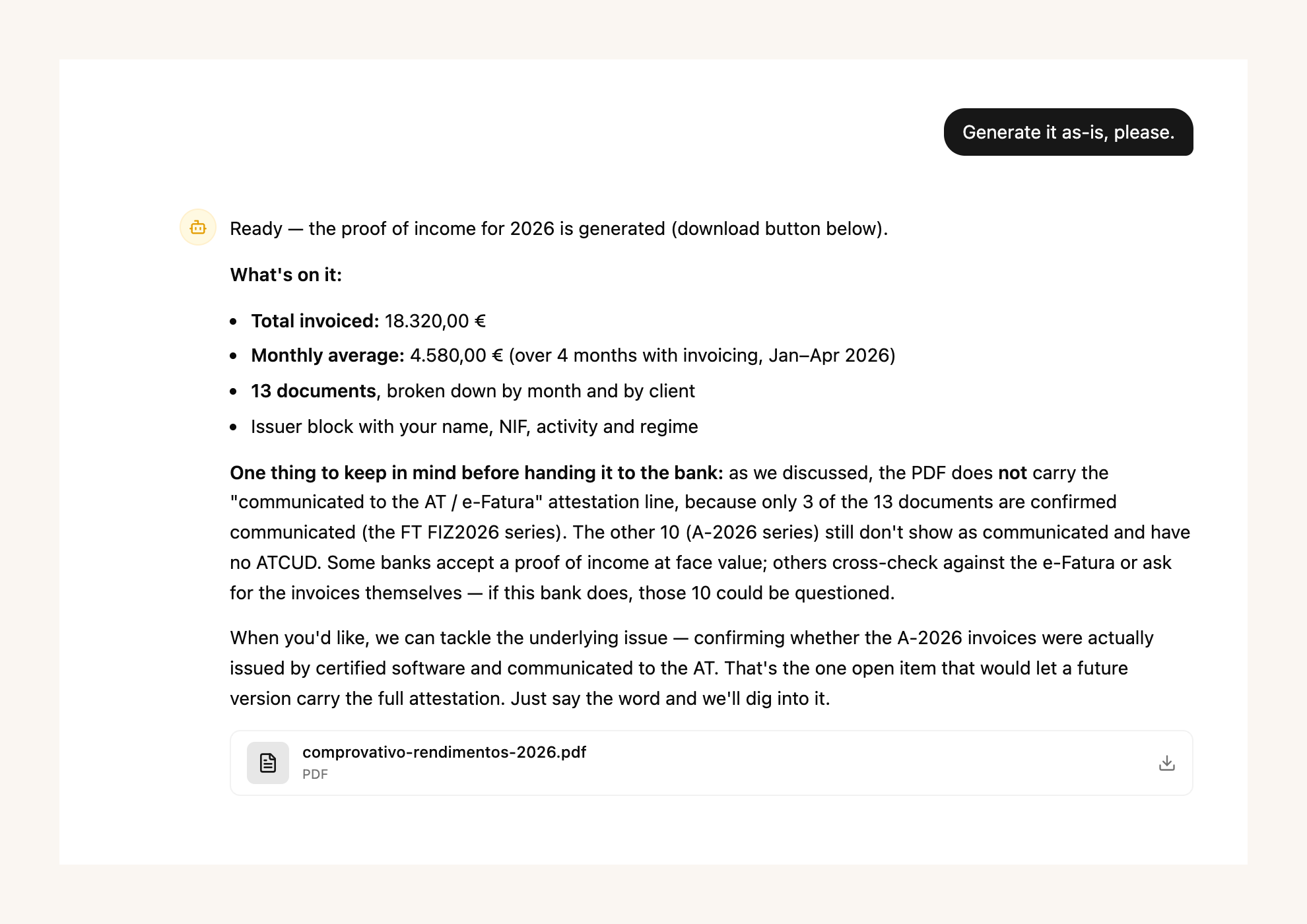
The assistant learnt more in August: it answers questions about your AT notifications, knows the corporate tax calendar for companies, and when an unknown supplier turns up in an expense it goes and finds out who they are instead of asking you. As ever, the Tax Assistant is part of the paid plans.
In the app: AT notifications and turnover at a glance
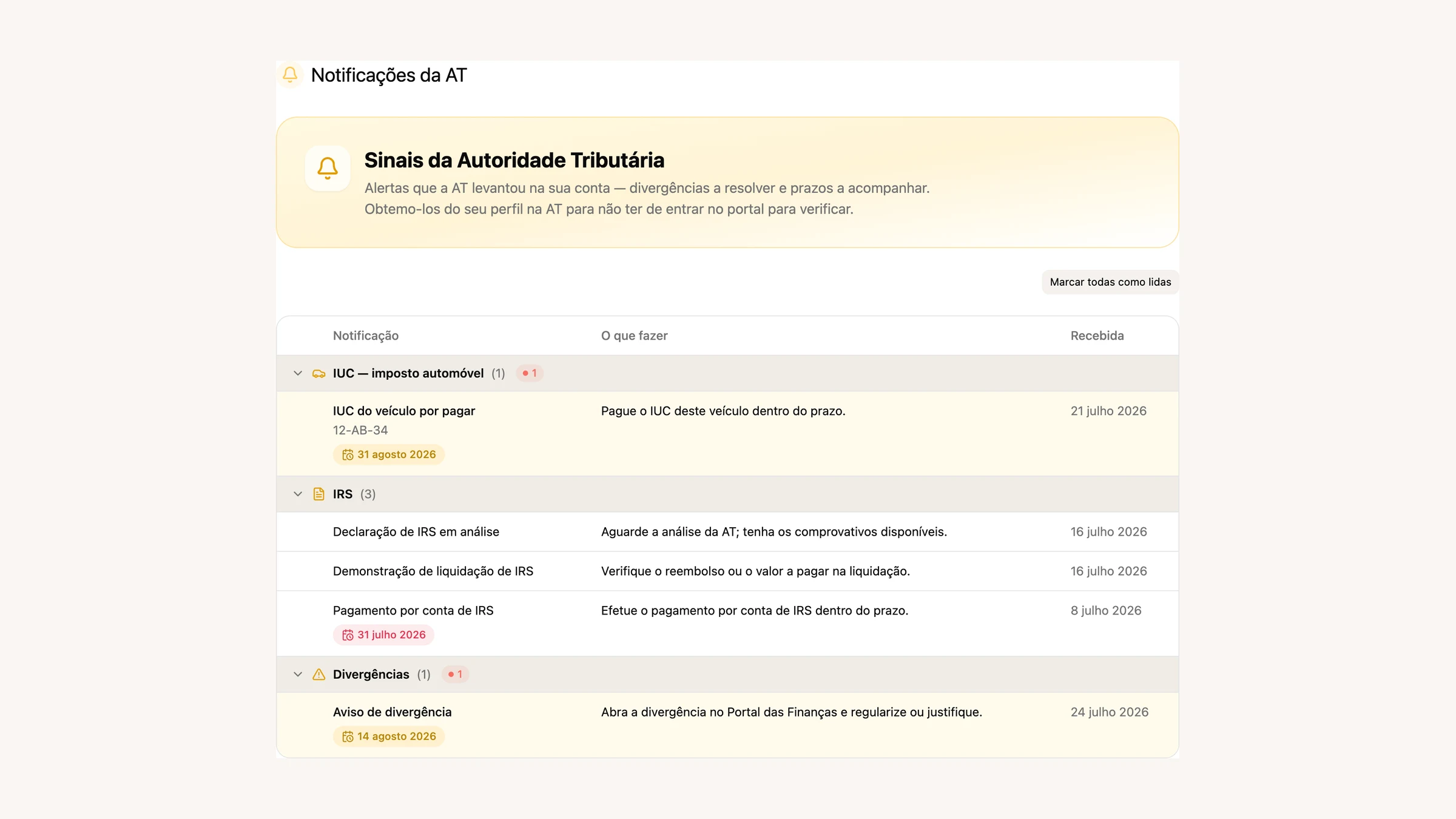
Two app releases went out in August. AT notifications arrived on the phone: the same inbox we showed in July in the browser, now native, with notices classified and deadlines in view. And the home screen gained the year’s turnover, with the VAT regime assistant one tap away.
The three-step setup reached the app as well, with the business review at the end. And when you connect a bank from your phone, the authorisation brings you back to the app instead of leaving you in the browser.
What’s next
One piece of news you cannot touch yet: our automatic invoicing app for Shopify stores is under review on the Shopify App Store. Depending on how you set it up, each paid order creates a draft or a Fatura-Recibo issued and emailed automatically, with nothing copied by hand. If you sell on Shopify and want to be among the first, write to us in the chat and we will let you know the moment it opens.
If there is something you would like to see in FIZ, or you have run into a problem, write to us in the in-app chat. We read everything.
Thank you for using FIZ.