Logging into the Portal das Finanças every once in a while, hoping to find nothing. That is what most self-employed people do, and it is a terrible way to know whether everything is fine. July is the month we stopped asking you to do it: notifications from the tax office now arrive inside FIZ, translated into plain language, with what to do next. We also rebuilt the account setup, gave your invoices somewhere to land after you send them, and you can now pay for FIZ by direct debit.
Tax office notifications, without logging into the Portal
Until now, everything the tax office told you stayed over there. Discrepancies between what you declared and what sits in e-Fatura, road tax deadlines, assessment notices. To find out, you had to go looking. From July, FIZ reads those notifications for you and shows them on a single page.
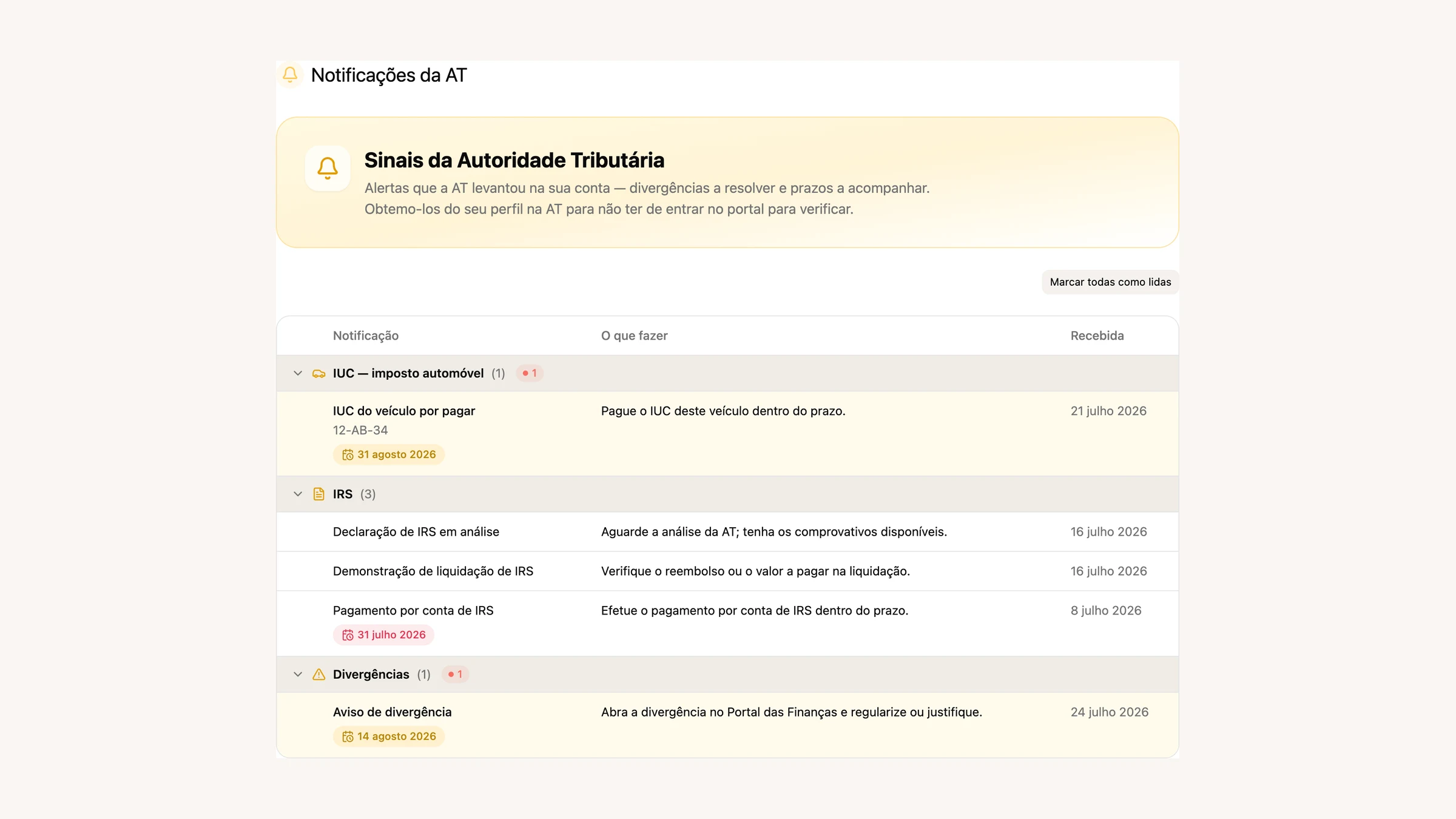
It is not a dump of what is on the Portal. Every notice is classified by subject and grouped, and next to it sits a “What to do” column written in ordinary language: “Open the discrepancy on the Portal das Finanças and settle it or explain it.” We pull out what matters from the text — the amount, the period, the case number, the offence — and work out the deadline, which shows up as a tag that turns red once it has passed.
There is plenty of noise at the tax office, and we spent the month filtering it. Repeat notices about the same filing are folded into one, duplicates get their own filter, and declaration verdicts go to the income tax group instead of floating loose. The sidebar carries a bell with the unread count.
One caveat: loading official notifications needs your main tax office account, not a sub-user. The password is stored encrypted and is only ever used to read.
A setup that already knows who you are
We rebuilt your first day in FIZ. Instead of a form waiting to be filled in, setup now has three steps: connect, import, review. You connect the tax office once and FIZ fetches the rest.
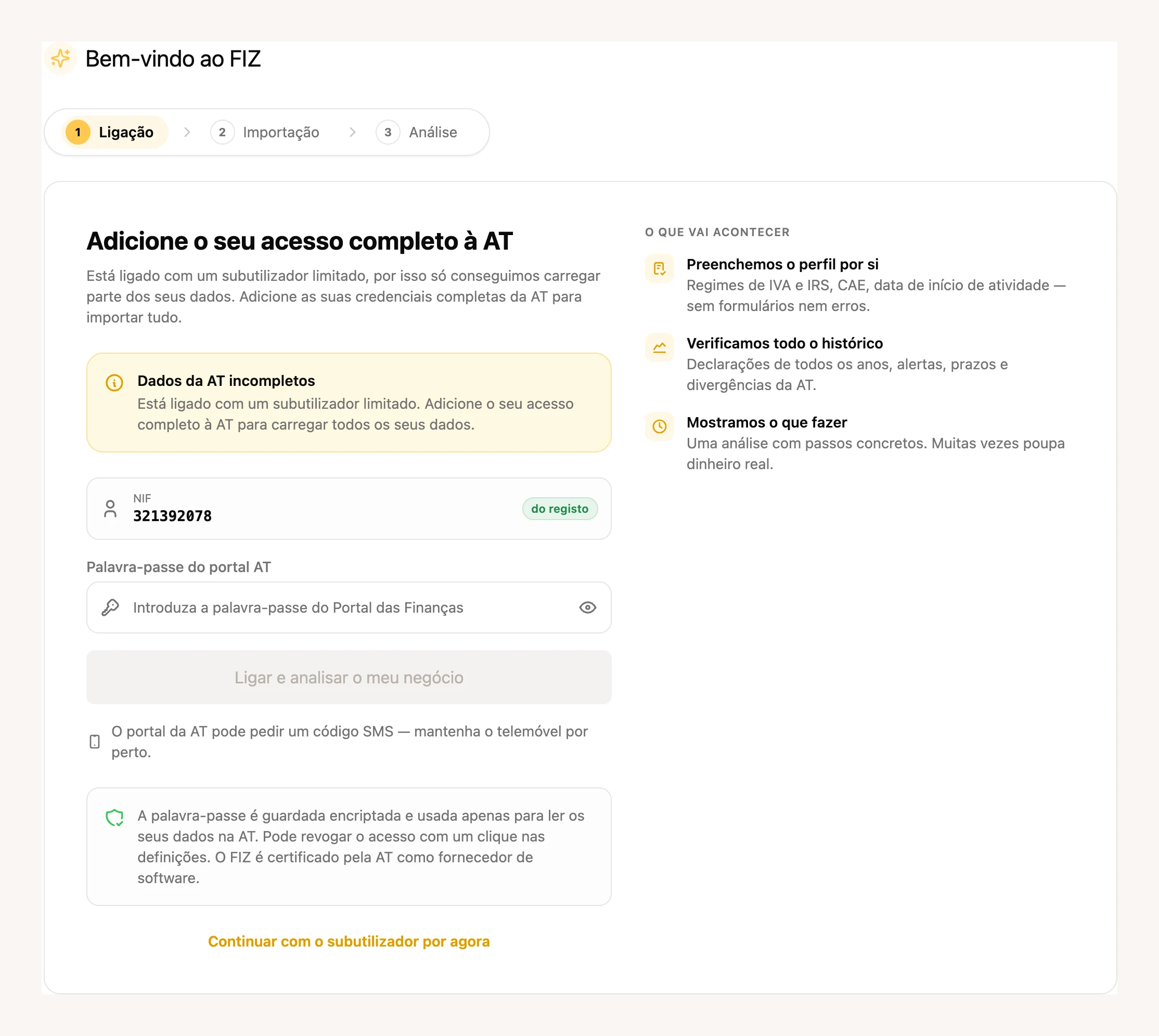
We fill in your profile for you, with your VAT and income tax regimes, activity code and start date. We import the history: filings from every year, alerts, deadlines, discrepancies. And at the end we run a review of your business with concrete next steps, the way an accountant would at a first meeting. During the import you get a progress bar that actually moves, with the activity-history step in plain view.
The review says what it knows and what it does not. When we can only see part of your data, we say so instead of faking a full diagnosis, and there is a separate section for what went unreviewed. Fines you have already paid no longer show up as a problem: they become a line saying it is handled.
It was closed to a subset of users during the month and opened to everyone on 28 July.
Invoices stop disappearing once you send them
What happens to an invoice after it leaves here used to be a blind spot. In July we dealt with both ends of it.
On your side, you can see what became of the email. The invoice list shows delivery status next to each document: two ticks when the client opened it, one tick when it left here, and a red envelope when it never arrived.
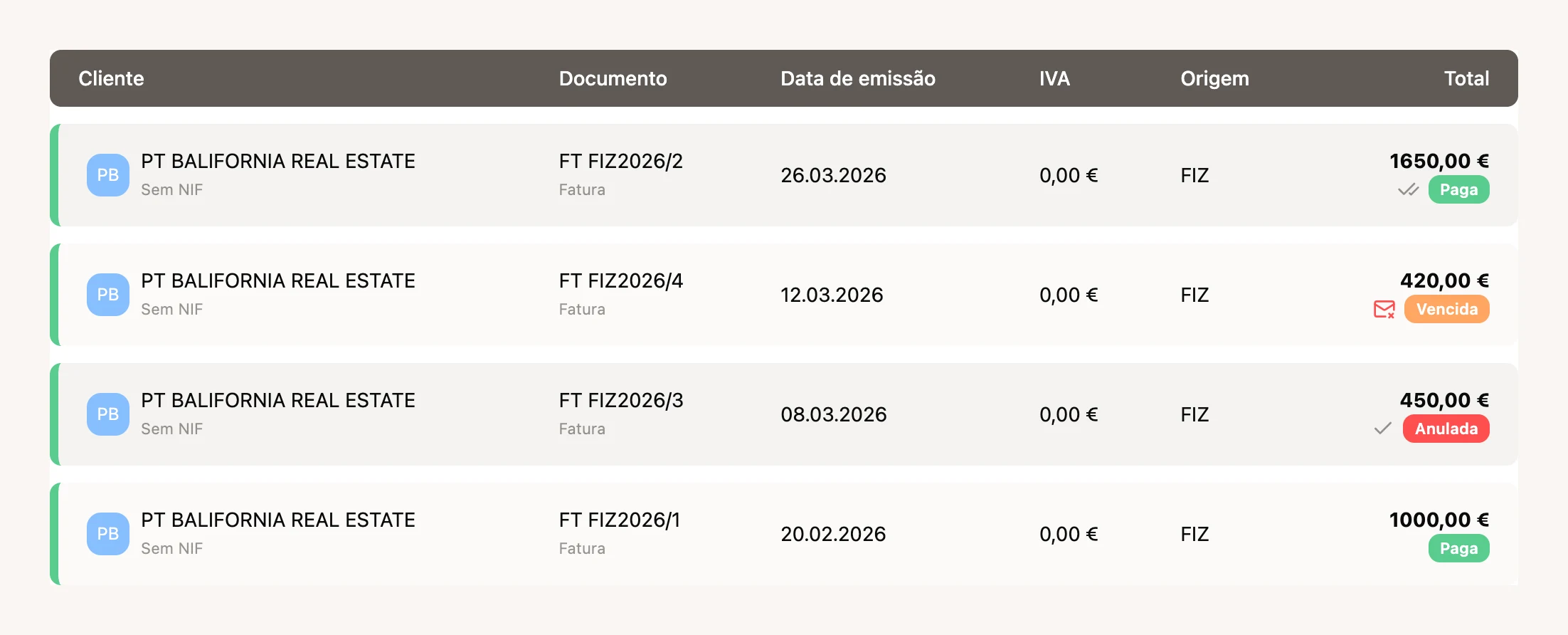
Each document also keeps the history of every send, not just the last one, with a line for who viewed it and when. Failures explain themselves instead of dumping the server’s technical error, and you can list several email addresses for the same client, in the mobile app too.
On the other side, the person receiving now has somewhere to keep it all. Starting from the document you shared, your client signs up on a single screen and gets their received invoices in one place, a dashboard of what they are spending, and a history of who viewed what. Commercial proposals show up in the same list.
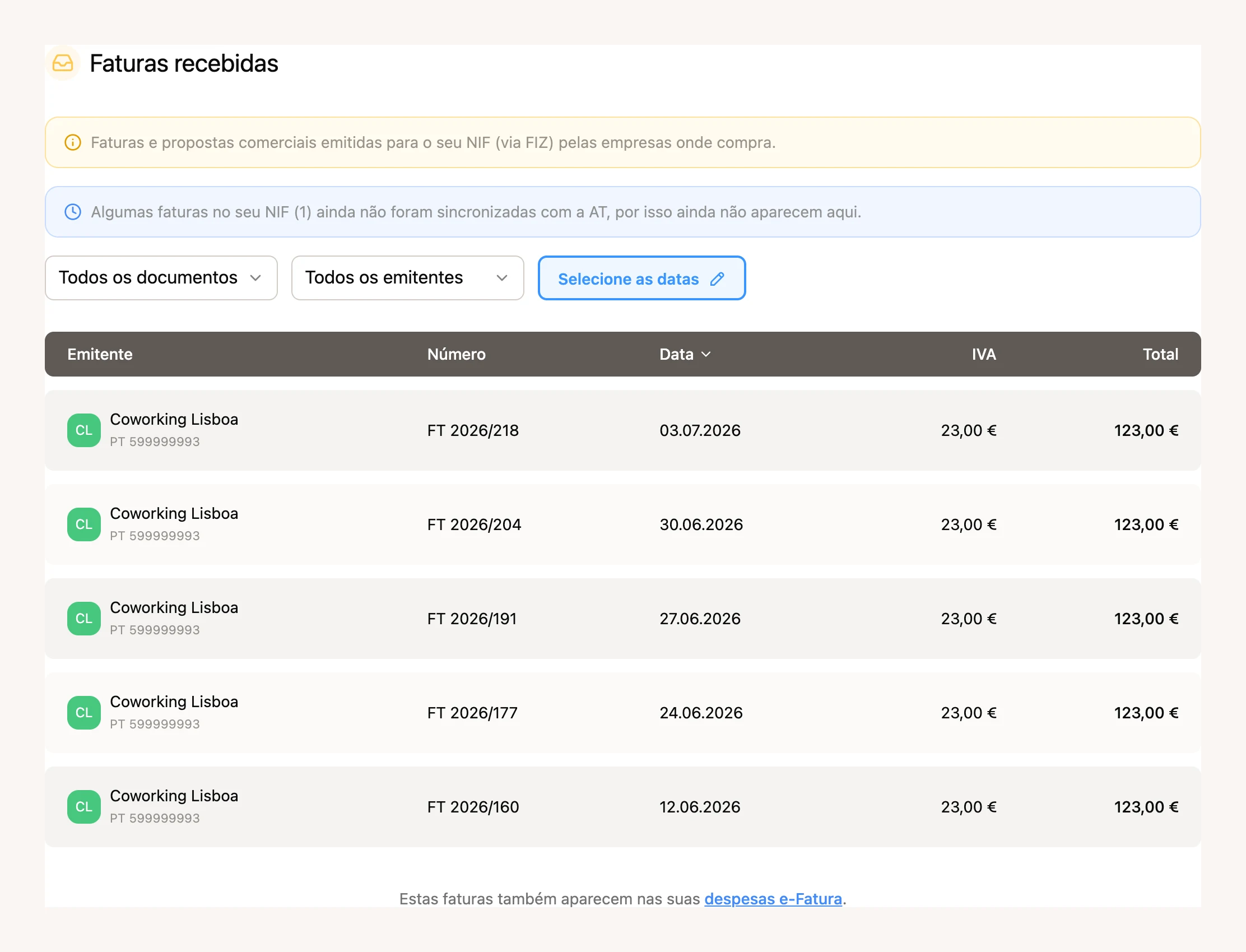
Note the blue notice: when invoices under your tax number have not yet synced with the tax office, we say how many rather than pretending the list is complete.
Finances: e-Fatura expenses, sorted for people working alone
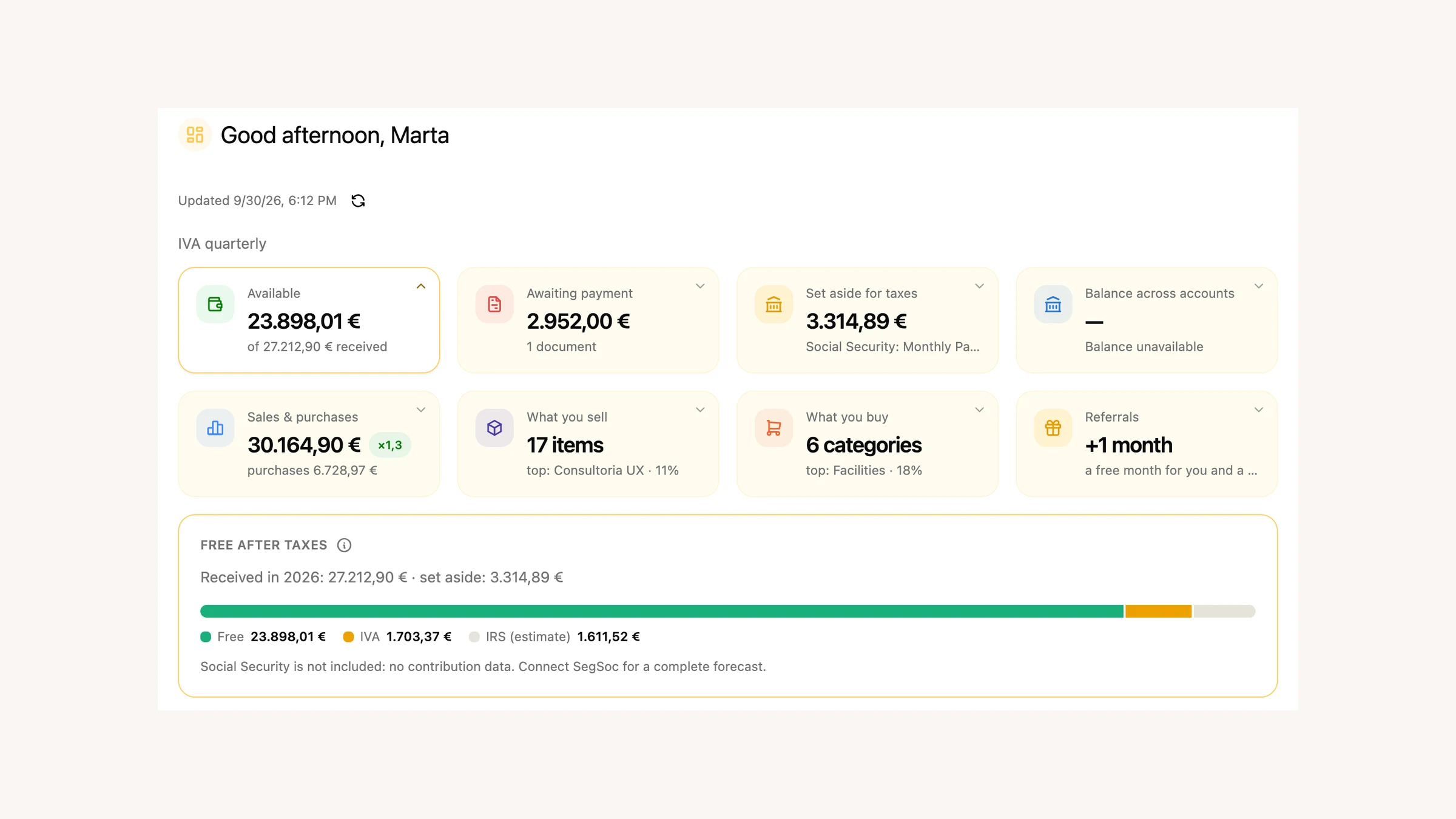
Finances was built mostly for companies. In July it turned towards the self-employed, and the most visible change is a simple one: the categories on your incoming e-Fatura invoices now show up in Finances too, in the documents section.
Until now e-Fatura expenses lived in one place and Finances documents in another. Now, above the document list, you get three cards — Uncategorised, Business and Personal — with the count and total of each group. They are the same groups and the same words as the expenses section, and clicking one filters the list. No more two places holding two truths about the same invoice.
Behind that sits allocation: deciding, for each expense, what is business, what is personal, and in what proportion. Classification is now category first — you pick the category from the catalogue and, if it only serves one purpose, the allocation is set for you where you can see it happen; if it is mixed use, you decide. Personal categories are no longer invented by us: they are the acquisition-scope options from the tax office’s own Portal, labelled by e-Fatura sector. The supplier’s tax number is looked up in the registry, and their activity code narrows the list to categories that make sense. If you are VAT exempt, personal is the default.
Alongside that, the rest of the month in Finances:
- There is now a next-step bar at the top, along with your financial health. The “Ask AI” button opens the chat on the page itself, context already loaded, and shrinks into a bubble while the assistant works.
- The ”+ Document” menu now takes files from Google Drive and Dropbox. They go through the same path as drag-and-drop, and we do not store access to your cloud.
- Receiving documents by email is no longer company-only. The forwarding address and its history now live in the ”+ Document” menu, for any account with verified details.
- On issued invoices you choose how the money came in: cash, bank or payment processor. There is an honest fourth option, not paid yet, which stays selected until the receipt turns up.
- Stamp duty now has its own row and is no longer added to VAT, where it never belonged.
Automatic invoices from Stripe payments
If you get paid through Stripe, FIZ can now prepare the invoice-receipt itself on each payment. You switch it on in payment settings and choose, once, the VAT rate, the exemption reason (the list of M codes comes validated from the server), the item type, the activity code and the line description. After that, each payment arrives with the document already assembled.
A note on scope, because it matters for tax. Only eligible Checkout payments qualify: in euros, with no Stripe Tax and no shipping. Sales to foreign customers are treated as B2C under Portuguese VAT, and B2B reverse charge, OSS and zero-rated exports are not applied automatically. If your case is one of those, talk to us before switching this on.
Paying for FIZ by direct debit
Your subscription can now be paid by SEPA direct debit, through GoCardless. You authorise it once and stop thinking about it. Before you leave FIZ we tell you clearly where you are going and who handles the payment.
It is available on both billing periods, quarterly and yearly, alongside card and MB WAY. Companies never see MB WAY, which is a consumer wallet, and pay by card or direct debit instead. It opened to everyone on 31 July.
A role for people who only issue invoices
If you have a team, you can now grant invoicing-only access. Someone with this role sees invoicing and nothing else. The AI assistant, referrals and almost all settings drop away, and turnover figures stay hidden. It is meant for people out in the field who just need to issue.
Underneath, it is built to fail on the safe side: while access is still being confirmed, closed sections stay closed rather than flashing in front of someone who should not see them.
In the app: what taking card payments actually costs
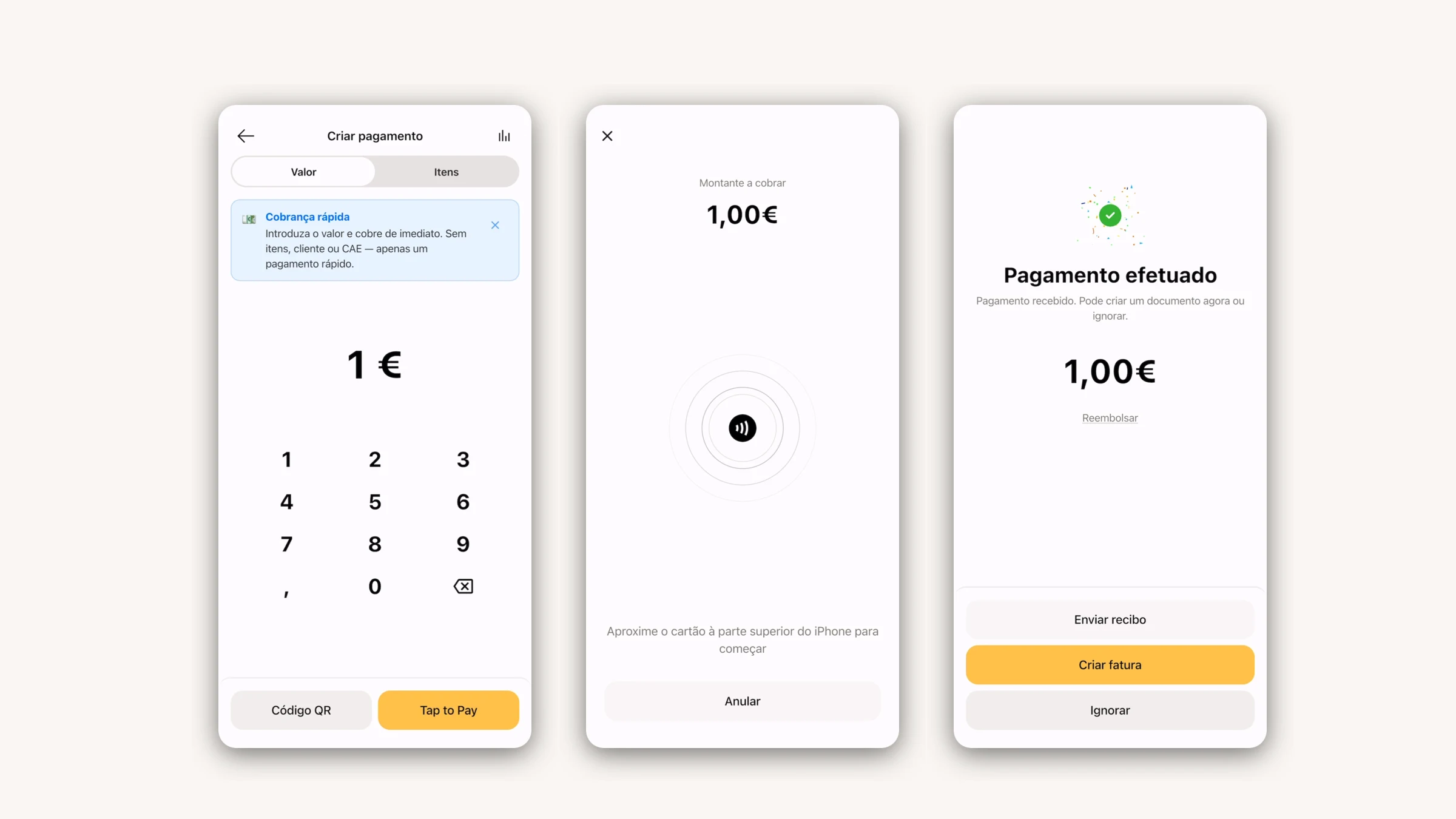
We launched Tap to Pay in June. In July we dealt with the part nobody enjoys explaining: what it actually costs you.
You now see the exact rate, by channel and by plan, in a panel with the full breakdown. For European cards it looks like this:
| Plan | Tap to Pay | Payment link |
|---|---|---|
| Free | 2.9% | 2.9% |
| FIZ Auto · FIZ PRO | 1.9% | 2.4% |
| FIZ Prime · FIZ MAX | 1.4% | 1.9% |
(FIZ PRO and FIZ MAX are the company plans; Auto and Prime are the ones for sole traders.)
On top of those sits a flat part that now follows the channel: €0.20 on Tap to Pay and €0.25 on a link, which is exactly what Stripe charges us for each.
Cards from outside the European Economic Area sit at 2.9% on every plan. The reason is simple: in person they cost us close to 2.9%, against roughly 1.4% for a European card, and until July the European price was quietly subsidising every tourist’s card. Online the gap is wider still, which is why we block the non-European card rather than surcharge you for it.
It is not a pretty change to show off, but it is the difference between knowing what you earn and finding out afterwards.
The rest of the month on mobile: payouts gained a “pending” line explaining that the first transfer takes 7 to 14 days, the question that reached our chat more than any other. After a Tap to Pay payment, skipping the next step now takes you to the payments dashboard instead of leaving you nowhere. And payment times show in your own timezone, not the server’s.
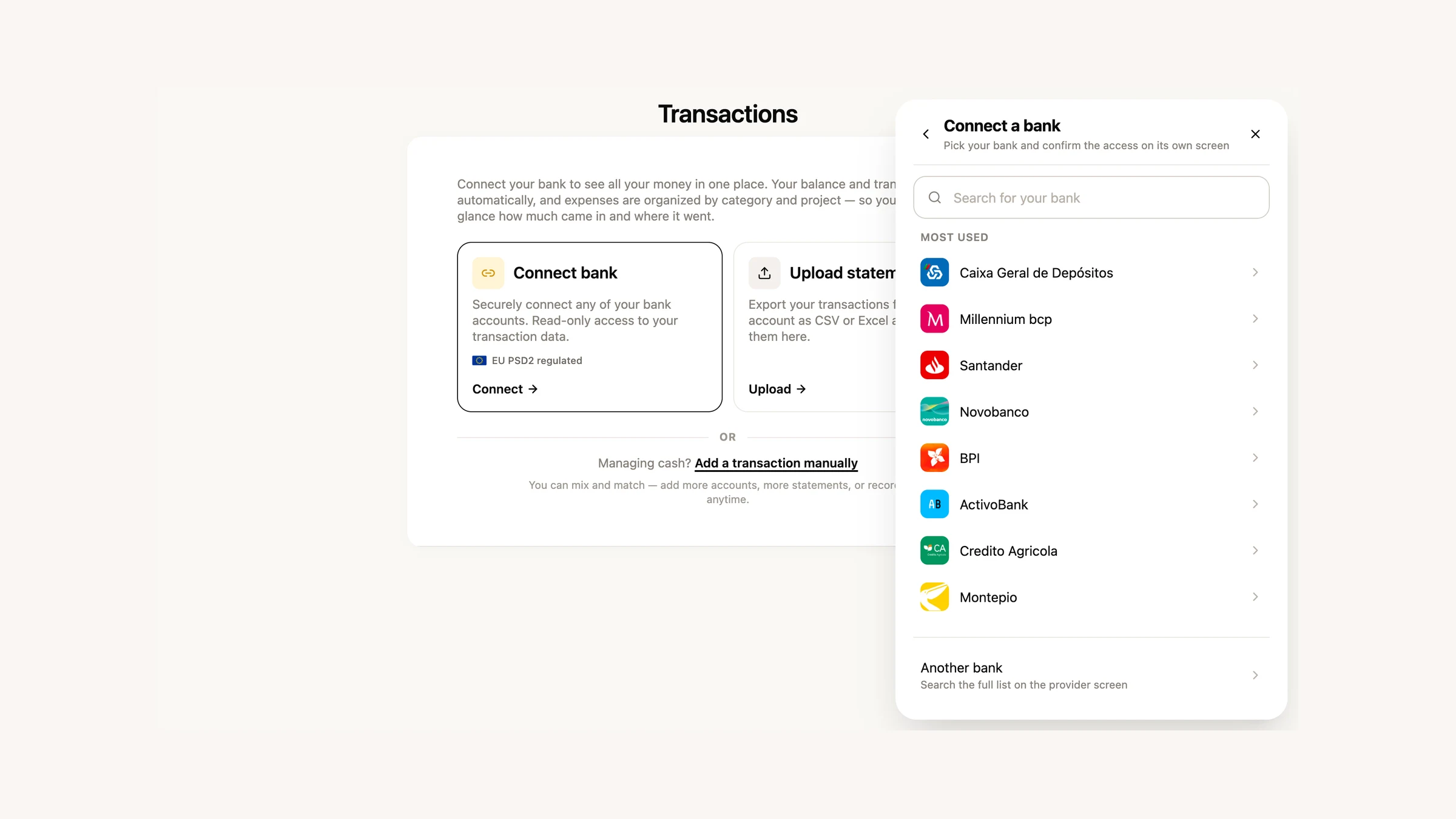
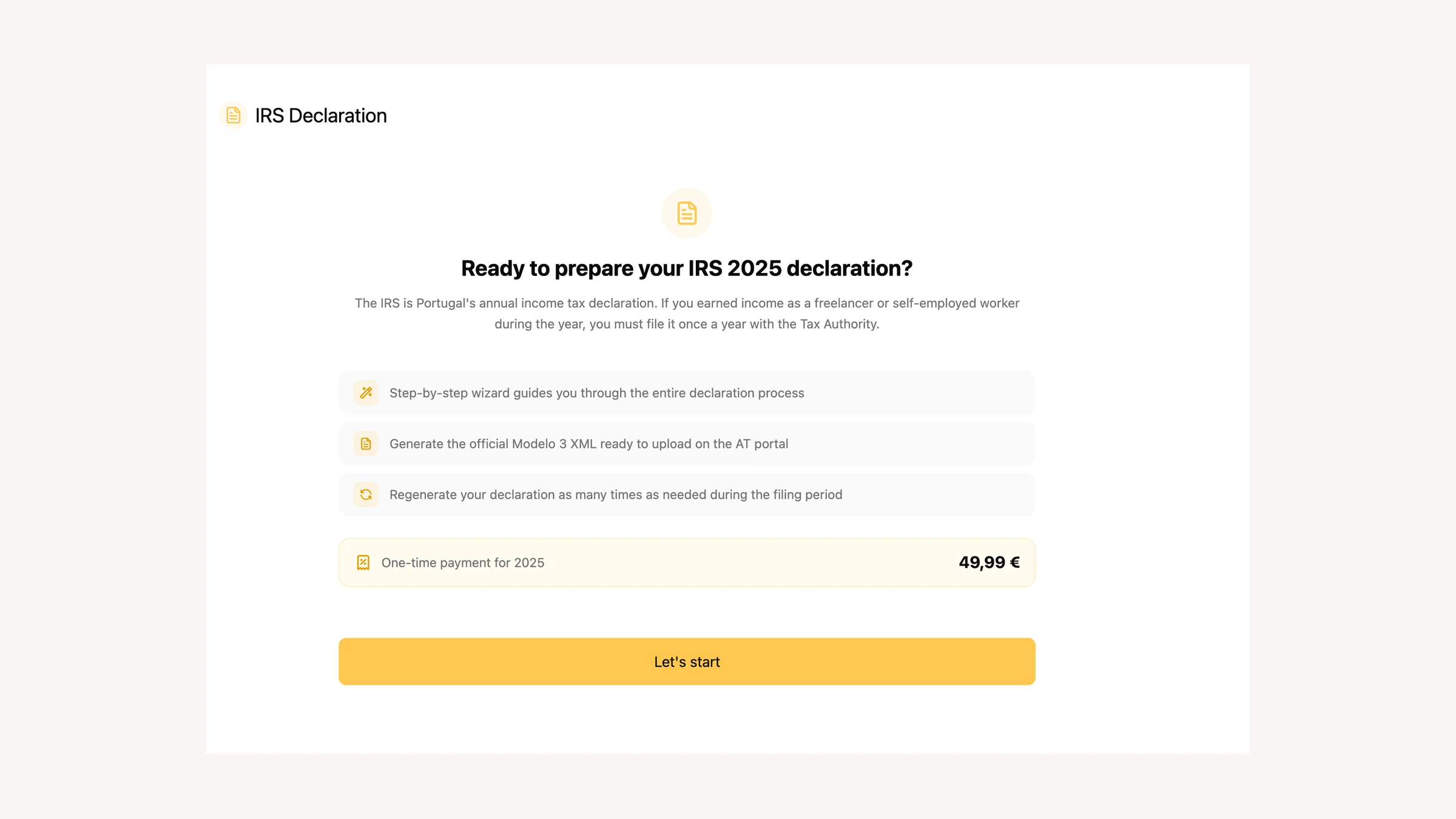
Three releases in July: 4.10, 4.11 and 4.12. Along the way the Finances tab started opening inside the app (connect your bank, attach files and download without leaving), and referrals went native, with both ways to earn: a free month, or a friend paying for their tax return.
Download the app → · Google Play →
A few more improvements
- The sidebar got tidied: declarations and invoicing grouped together, and a more compact language switcher.
- In the public API you can now register a payment against an issued invoice and get back the receipt it creates. Transport documents and VAT calculation join too.
- The withholding exemption (article 101.º-B) now prints on the invoice.
What comes next
With tax office notifications arriving in FIZ, the next step is the one you are already thinking of: stop warning you and start handling it. We are on it. If there is something you would like to see, or you have run into a problem, write to us in the in-app chat. We read everything.
Thanks for using FIZ.