
Sofia, a designer, opens her IRS declaration, reaches “Anexo B” and freezes: dozens of quadros, fields with three- and four-digit numbers, acronyms. The question everyone asks in freelancer groups is the same: “I don’t understand which box I’m supposed to tick.”
Good news: for most independent workers on the simplified regime, what matters is 3 or 4 fields. The rest of the quadros are for special situations that probably don’t apply to you.
Let’s go through, in order, what you actually have to fill in.
What Anexo B is and who files it
Anexo B is where you declare your Category B income - the recibos verdes, your work as a freelancer.
It’s individual. You fill in one Anexo B for the person who has the activity. If you file jointly and your spouse has no activity, you do not fill in an Anexo B for them - they just appear as Sujeito Passivo B on the cover sheet. (This is the most common confusion among couples.)
Two cases that look like they exempt you from Anexo B, but don’t:
- Had an activity open but invoiced nothing? You still file Anexo B, with the values at 0.00. The obligation only ends when you close the activity.
- Your income came from abroad and went into Anexo J? You still file Anexo B. The two annexes complement each other, they don’t replace one another.
Quadro 1: simplified regime or isolated act?
The first choice. In Quadro 1 you tick the regime:
- Field 01 - Regime simplificado: this is you if you have an activity open and issue recibos verdes regularly.
- Field 02 - Ato isolado: only if it was a one-off, single job, with no activity open.
You can’t tick both. For the vast majority of freelancers with an open activity, it’s field 01.
There’s also, further down, the “option to apply Category A rules” (Quadro 5). It’s a rare choice that only pays off in very specific cases (someone who provides services to a single entity and has lots of real expenses). For almost everyone, the normal simplified regime is better. Don’t worry about it now.
Quadro 4: where your income goes
This is the heart of Anexo B. It’s where you write how much you invoiced, in the right field depending on the type of activity. Each field has a coefficient attached, which sets how much of what you invoiced is taxable.
In practice, you write the total you invoiced in the field that matches your activity. The coefficient is applied automatically.
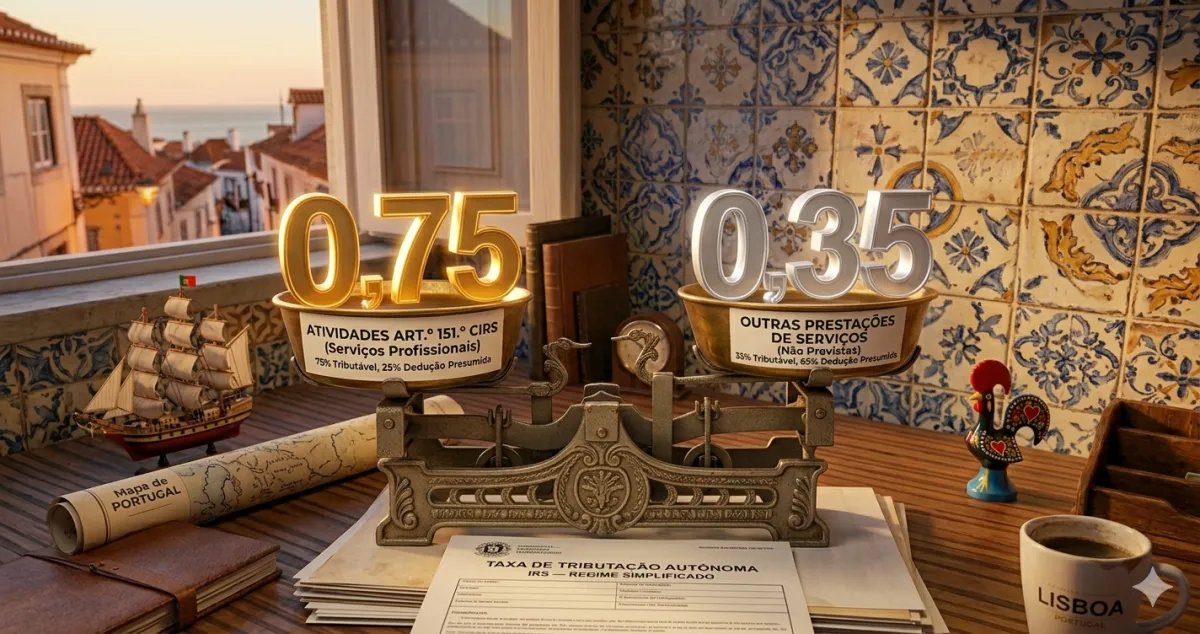
Example: Sofia invoiced €18,000 in design services (an activity from the art. 151.º table). She writes €18,000 in field 403. The system applies the 0.75 coefficient:
Not sure which coefficient applies to you? We explained the difference between 0.75 and 0.35 in this article. And if you’re unsure about your activity code, see how to choose your CAE/CIRS code.
Social Security: the basic deduction is automatic
This is the most frequently asked question: “where do I put my Social Security contributions on Anexo B?” The answer has two parts.
The basic deduction is automatic. Under the art. 31.º n.º 2 rule, the part of your contributions that exceeds 10% of what you invoiced in services is deductible - and the AT does this itself, from the data it receives from Segurança Social. You don’t have to fill in anything to get this deduction.
But there is a field, and it’s optional: Quadro 17 (field 17001). There you can enter the total of your Social Security contributions. It isn’t for the deduction above - it’s for something else: justifying real expenses to avoid the “acréscimo” (the art. 31.º n.º 13 rule, which can tax part of your income again if you invoice a lot and have few registered expenses). If you invoice little, you rarely need it; if you invoice a lot, filling in 17001 can save you tax.
You don’t have to do this sum or fill in anything. The AT does it all from the data it already has.
First or second year? You pay less
If you’re in the early years of your activity, there’s an important discount. In the first two years, the service coefficients have a reduction:
- Coefficient 0.75 reduced to 0.375
- Coefficient 0.35 reduced to 0.175
- You pay IRS on half the usual base
- Coefficient 0.75 normal
- Coefficient 0.35 normal
- No reduction
In the 2nd year the reduction is smaller: 0.75 becomes 0.5625 and 0.35 becomes 0.2625. From the 3rd year on, no reduction.
Two traps: the reduction does not apply to sales of goods (coefficient 0.15), and it’s lost if you also had a salary (Category A) or pension (Category H) that year.
Warning: The two costliest mistakes with Anexo B. First: filing an Anexo B for a spouse who has no activity - you don’t, Anexo B belongs only to the person with the activity. Second: thinking that foreign income in Anexo J exempts you from Anexo B - it doesn’t, you file both. If you have a mixed situation (multiple CAE codes, salary + recibos verdes, capital gains), don’t fill it in blind: check the calculation before you submit.
✅ In summary
-
For most people, Anexo B is just a few fields: you tick the simplified regime (Quadro 1, field 01) and write what you invoiced in the right Quadro 4 field - 403 for art. 151.º table services (0.75), 404 for other services (0.35), 401 for sales (0.15).
-
Social Security: the basic deduction is automatic - the AT deducts the part that exceeds 10% of your services itself (art. 31.º n.º 2). There’s an optional field (Quadro 17, field 17001) to enter the total of your contributions and justify expenses, useful if you invoice a lot. And in the 1st and 2nd years of activity, the service coefficients have a reduction (0.375 and 0.5625).
-
With FIZ your Anexo B is filled in for you: the system uses your recibos and the AT data to put each value in the right field, with the correct coefficient and new-activity reduction, and you submit the declaration directly on the AT portal. See the plans.