October brought questions about incorrect VAT on issued invoices and documents needing correction before filing. FIZ gained a wizard for those corrections, more control over purchases and payments, and support through WhatsApp too.
The visual examples use fictional data.
Correct an issued invoice without guessing the next step
You applied the wrong VAT rate. Changing the item in your catalogue will not fix the invoice you already sent. Open it and choose Correct document: the wizard asks what happened and guides you towards a credit note, debit note or cancellation.
If only the VAT is wrong, you can correct just the tax, without invoicing the service again. In the video, the €1,000 taxable value stays unchanged; moving from 6% to 23% adds the missing €170 VAT.
The reason matters: a wrong NIF needs different treatment from an overcharge. Our guides to invoice corrections and debit notes explain the distinction. A note does not automatically amend a return already filed. Cancel imported invoices in their original issuing system.
The wizard is also in the app. When issuing documents, VAT suggestions help you select a rate; check the transaction’s treatment before confirming.
Separate purchases and check the figures before filing
Bought office paper and supplies for home at the same shop? You can split the document by category, assigning each purchase its amount and business or personal use. The totals still match the invoice.
This separates distinct purchases; it does not determine the business-use percentage of one phone. Deductible VAT depends on your regime and the expense, while IRS treatment follows its own rules.
You can also review suppliers together and check discrepancies with e-Fatura before filing. A fresh sync helps identify missing documents. If a return filed through Portal das Finanças replaced the one filed in FIZ, that version is now shown. For a month without issued invoices, you can confirm the corresponding no-invoices communication.
Classification requires a paid plan or assigned access. Saving supplier rules requires access to full Finances.
Keep invoice conversations and payment follow-up together
Does a client have a question about an invoice issued in FIZ? The conversation can stay with the document. To use that chat, they need an account and an AT-verified NIF matching the recipient.
Payment reminders are optional: you decide whether to enable them. From the link they receive, a client can select I’ve paid, without signing in. Reminders pause and you receive a notification.
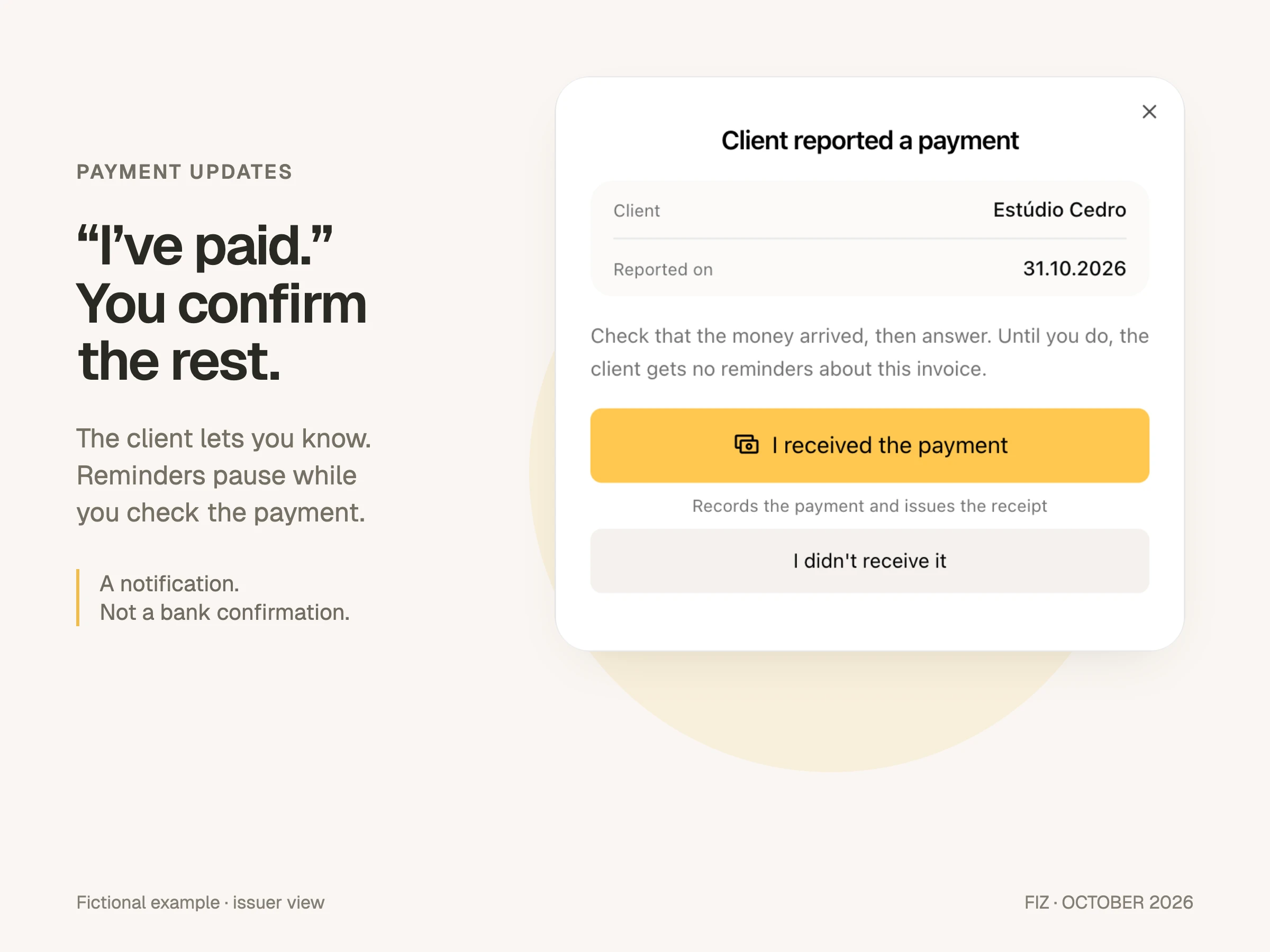
That notification does not verify a bank transfer or mark the invoice as paid. Check the money has arrived, then record payment and issue the receipt. It avoids chasing the client by email while you check your account.
Ask for help through WhatsApp too
The WhatsApp number linked to your account can now be used for support. Start with a question or a letter from the tax authority and keep the conversation’s context.
AI may provide the first response, with the team taking over when needed. This does not mean round-the-clock human support or permission to act for you. Actions requiring your confirmation still ask for it. Support inside FIZ remains available too.
Haven’t connected WhatsApp to FIZ yet? Open the WhatsApp section, link your number and try sending your first question.
In the app: take payments, check reserves and work on iPad
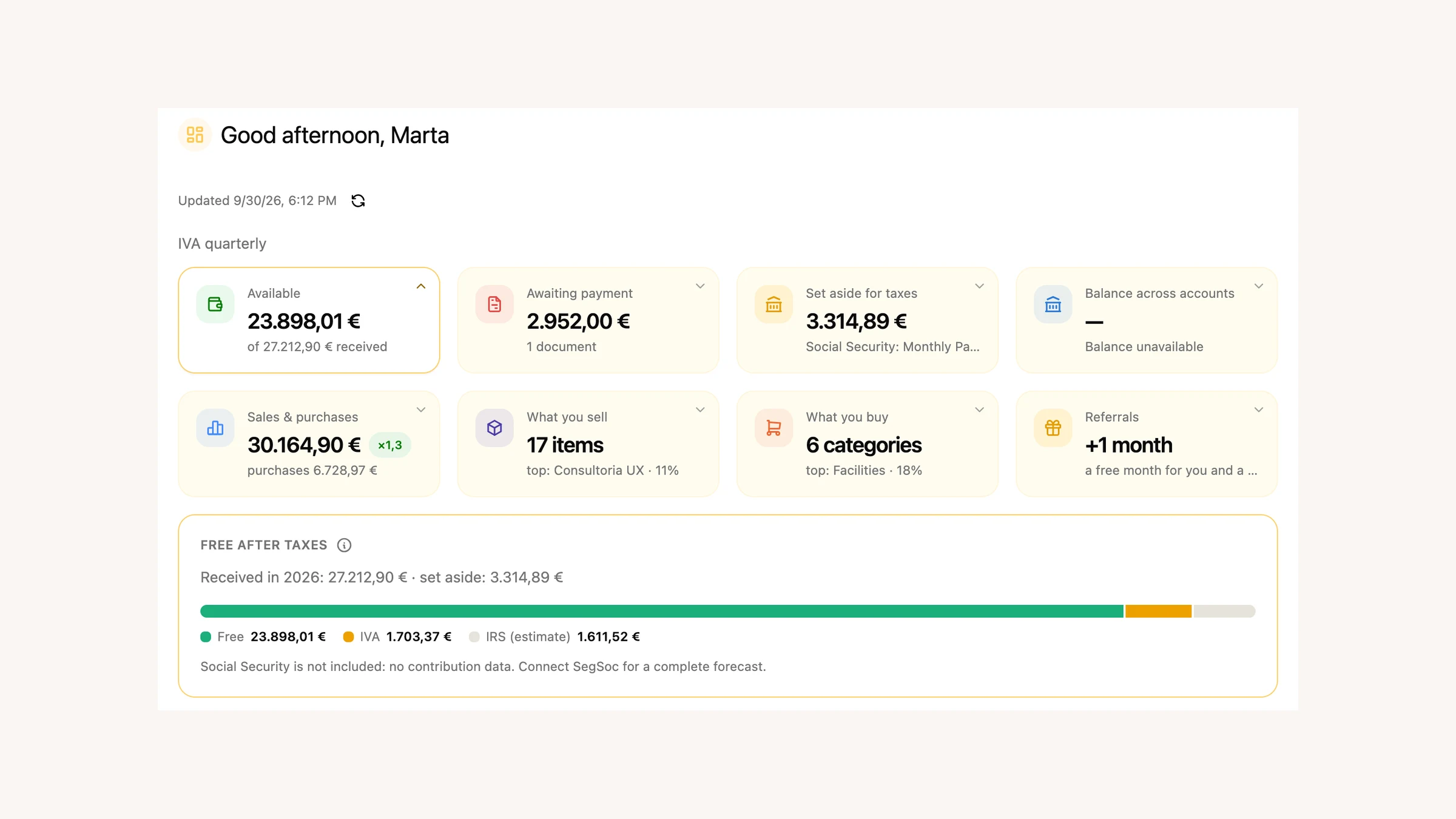
The Dashboard is now in the app, showing what is available after your tax reserve. On iPad, the side menu and rotation support make better use of the screen. You can also request reports in mobile chat.
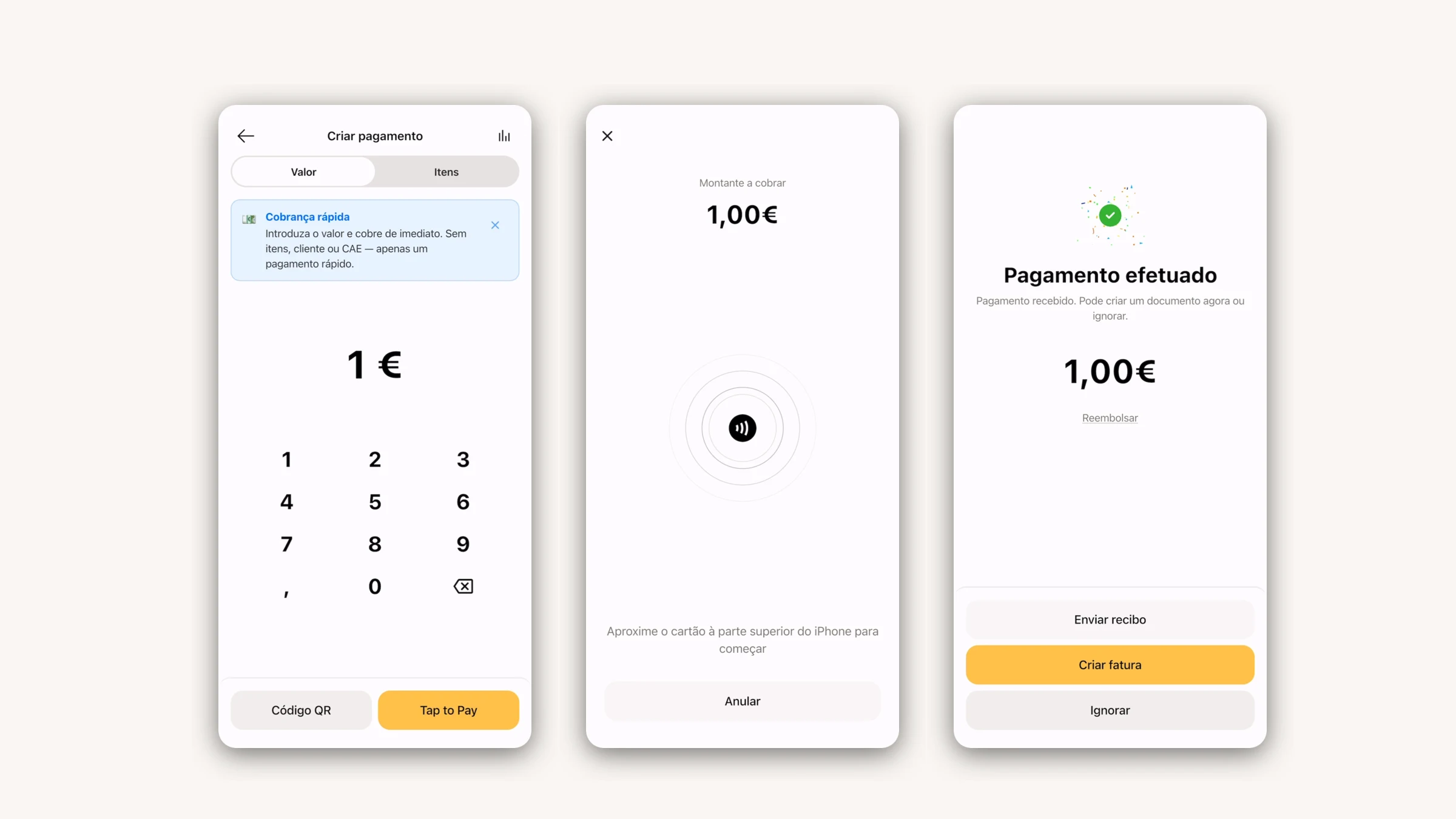
After payment through Tap to Pay on iPhone or QR, the app can issue the invoice-receipt automatically. Daily cash, in beta, is also on mobile: open the till, close it and check the total. It requires a paid plan and activation in settings.
Update through the App Store or Google Play.
Other improvements
- Stripe Billing: initial payments and renewals can create drafts from activation onwards. This does not backfill the entire history or cover every subscription adjustment. An optional VAT by buyer in Stripe setting adapts treatment to the customer, separately from rate suggestions when issuing invoices manually.
- Units, in beta: shops or teams sharing one NIF, with their own series and restricted staff access. For companies with multi-access.
- Install FIZ: open it in its own application window from your browser.
- SAF-T imports: clearer results showing which documents were imported, including receipts.
- Unvalued transport documents: delivery documentation without prices.
- Item discounts: available on every plan.
Thank you for the questions and examples you sent us. They help us see where FIZ still takes too much of your time.